|
| |||||||||||||||||||||||
| Public Boards/Beginner | |||||||||||||||||||||||
|
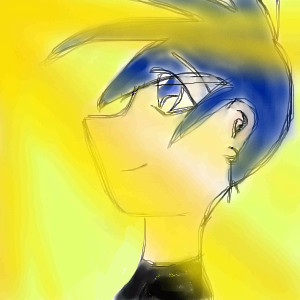
Spiritwolf6
(Aug 8, 2004)
My 1st picture!^^ |
| ||||||||||||||||||||||
|
tattered_wing
(Aug 8, 2004)
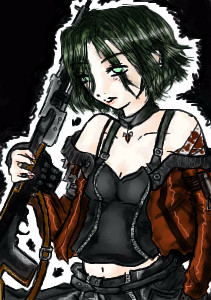
@-@ remember Reaper? New design, more up to date, possibly the oldest character in my memory box. Came up with her when I was 9...
Urei-sama (edited Aug 8, 2004)
i agree with hana-chan. you deserve BETTER! whOOt! *envies*timer is off by about a half an hour....Her hair used to be black, I don't know why I made it green x.X cheapy bg....I don't really like how the middle ( light grey part) of the rifle turned out, but blah..hope ya like!
Urei-sama (Aug 9, 2004)
oh that finished off beautifully! i adore the colors!! whoo for morbidness
marcello (Aug 9, 2004)
you're actually twelve? |
| ||||||||||||||||||||||
|
Bumble_Beez
(Aug 8, 2004)
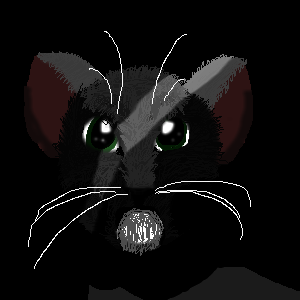
Ehh... Feline thing in dark place with one ray of light shining on it.
ILoveKenshin (Aug 8, 2004)
Good job! I'm assuming the little circly thing is her chin...? Maybe the ears shouldn't be so roundish, a little more triangle-y? I like this picture. ^-^-Hana-chan |
| ||||||||||||||||||||||
|
Bumble_Beez
(Aug 3, 2004)
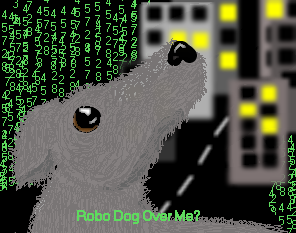
The dog is probally my best picture sad, eh? Well, it's just thinking about too much tecnology that we can't enjoy normal animals just because the robo ones are smart or have more tricks.Eh, I just felt like doing this. Bit like I'm one totalk, on the computer 24/7 and stuff I need help on the background. Any suggestions?
davincipoppalag (Aug 3, 2004)
Put a milkbone on his nose.. and show a hand pointing down at him... (stupid pet tricks!) lol
ILoveKenshin (Aug 8, 2004)
Awww! Poor puppy.. ;-; I love the background, very creative! ^^ Good work. ^.~-Hana-chan |
| ||||||||||||||||||||||
|
Sutafani
(Aug 5, 2004)
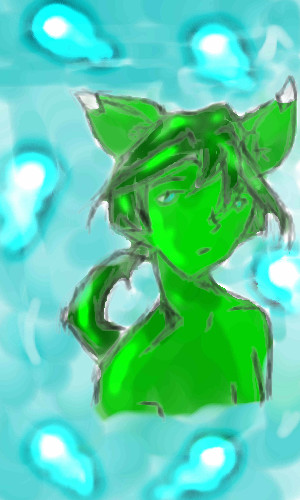
my neopet, I also started useing layers....
Callypso (Aug 5, 2004)
i love how you shaded the skin, and good use of the dodge tool ^_^. i'd like to see it when it's finished.All Done!
|
| ||||||||||||||||||||||
|
hakaru
(Aug 5, 2004)
Took forever to do the pre-scetch, finnish later xD
ILoveKenshin (Aug 5, 2004)
Well, this is good, but I suggest shorting Kagome's neck.. Then it will be great! ^^-Hana-chan
Callypso (Aug 5, 2004)
i agree with kenshin, just bring her shoulder up a bit ^_^. it's really hard to do group pics, cuz you have to make them in proportion to each other, but you have no problem doing that! good work ^_^
Sutafani (Aug 5, 2004)
THIS PIC RULEZ! NO DARN KIKIO!
Cordelia_Pink (Aug 12, 2004)
i love this show!!! keep up the good work. i wanna see it in color!! lol |

| ||||||||||||||||||||||
| Main Forums/Drawing Discussion | |||||||||||||||||||||||
 |
ILoveKenshin (edited Jul 20, 2004)
Who's with me when I say: THE INTERMEDIATE BOARD IS TURNING BEGINNER! -Hana-chan
69 comments
|
||||||||||||||||||||||
| Specialty Boards/Collaborations | |||||||||||||||||||||||
|
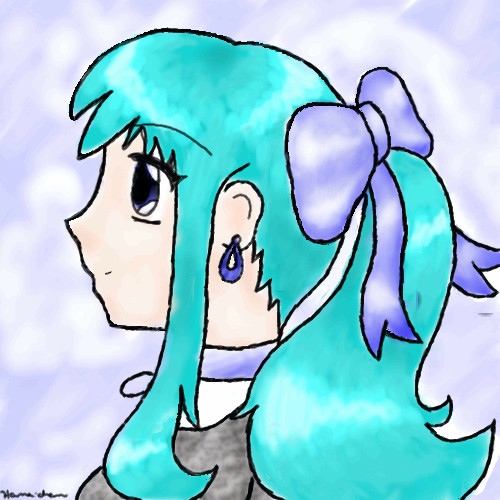
Well, yeah. I actually drew lips! I know it's REALLY sketchy, but too bad. Also, I forgot to draw the ribbons coming off of the bow, but I don't want to take up room for this post, just to fix that. Comments are welcome.
7 comments
– latest 4:-Hana-chan Update: YAY! It's done!! ^-^ I pictured the hair a little darker, but that's ok. I love how you color, MD! Thank you for coloring it. ^^ I did her skin and the bg (icky bg, btw) but I'm unsure of what to do for her shirt. Do you want to do ILoveKenshin?
I kinda like the texture of the shirt. I had no idea what color to make it, so I just went with grey...
Hana-chan
Kenshin (Sep 6, 2004)
OH MY GODDESS! IT IS DONE!!!! |
| ||||||||||||||||||||||
| Public Boards/Intermediate | |||||||||||||||||||||||
|
furyofroy
(Aug 3, 2004)
Just cuz.
mazi (Aug 4, 2004)
its amazing what you can do with paintbbs. *in awe*
nyao (Aug 5, 2004)
^____^ yaaaa!! it looks more like u !! ^_^and i love that smile ^^
15grifficorntears (Aug 5, 2004)
furry men (and women) make me horny.
LovelyLori (edited Aug 5, 2004)
mimosas are goodly |

| ||||||||||||||||||||||
|
Zack
(Aug 3, 2004)
How layers work.- Layers can be thought of as clear sheets of plastic that you draw or paint on. Each layer is independent of the other, and their order can be changed. - The main use for layers is being able to paint behind something without changing it. This is essential for coloring lineart, but is also useful for seperating the foreground, midground, and background. - Layers can also be useful for transparency. For example, if your drawing had a ghost in it, you could have the ghost on its own layer and set it to half opacity. (Opacity is the opposite of transparency.) This is also useful for lighting effects. - Keep in mind, however, that more layers usually means bigger file size. Adding layers. In Oekeki-Shi, each drawing starts out with a default of three layers. Usually that is all you need, but if you need to add a layer, click the Menu button in the layers window. Lascaux starts with just one layer. To add layers in Lascaux, simply click the button under the word Edit on the left. Changing layer order. After selecting the layer you want to move, drag it in the direction you want to move it. Hiding/showing layers. To hide or show a layer in Oekeki-Shi, click on the circle to the right of its name in the layer window. To hide or show a layer in Lascaux, click on the V to the left of its name in the layer list. See Also: Lineart Tutorial
emmamommalag (Aug 3, 2004)
Thanks, Zack. This is very helpful.
davincipoppalag (Aug 4, 2004)
remember..chicken farmers have layers too..( so do alot of cakes) thanks uncle zack
ILoveKenshin (Aug 4, 2004)
This was a good idea. ^^ So many people don't know how to use layers, and it definately helps. Great hand! I wish I could draw hands... TT-TT-Hana-chan
Knockoff (Aug 4, 2004)
Oh wow! I really like this for some reason. I love your shading. The different sizes in lineart makes it look awesome. Nice stuff. |

| ||||||||||||||||||||||
| |||||||||||||||||||||||
| 2draw.net © 2002-2026 2draw.net team/Cellosoft - copyright details - 1.60sec (sql: 41q/0.93sec) |


-Hana-chan