|
| |||||||||||||||||||||||
|
They paid paradise to put up a parking lot
artsy
(Sep 26, 2010)
|

| ||||||||||||||||||||||
|
gel_o
(Sep 26, 2010)
Teapot (Sep 26, 2010)
Mmmmm. Dreamy background. San Bernardino Mountains, I bet. I could use a big dose palm trees, desert heat and dryness right about now.
Miss_DJ (Sep 26, 2010)
pretty!
firecracker (Sep 27, 2010)
Nice palm trees......very pretty pic!! :)
davincipoppalag (Sep 27, 2010)
Nicely done |

| ||||||||||||||||||||||
|
Miss_DJ
(Sep 26, 2010)
After I thought I was finished, I couldn't help but change it again. The basics are here, though, you just have to figure out for yourself when your creation is done. That's hard for me sometimes...lol.STEP ONE: Draw lines in any colors you wish, use the scatter tool if you'd like. Just any old way to fill up the canvas to get started. This will do. I 'cut up the drawing with the harder brush, cut it to pieces, then blended again, added a lot of color. Blurred out the back a bit. Sharpened a couple of 'leaf looking' shapes. Done.. :o)
madscientist111 (Sep 26, 2010)
Awesome pic and tutorial, MS DJ!Flat Screen on a TV tray.
davincipoppalag (Sep 27, 2010)
cool =D |

| ||||||||||||||||||||||
|
magicpony
(Sep 25, 2010)
sleepy
firecracker (Sep 25, 2010)
very nice.....I like her expression....:) |

| ||||||||||||||||||||||
|
Oaks
(Sep 25, 2010)
davincipoppalag (Sep 25, 2010)
good stuff!
montezmaria (Sep 25, 2010)
This is looking awesome. Nice work!
firecracker (Sep 25, 2010)
very nice....:) |

| ||||||||||||||||||||||
|
artsy
(Sep 19, 2010)
will do more later
davincipoppalag (Sep 19, 2010)
i like this
firecracker (Sep 25, 2010)
This is very strange....I likey!!! :) |
| ||||||||||||||||||||||
|
Miss_DJ
(Sep 24, 2010)
firecracker (Sep 25, 2010)
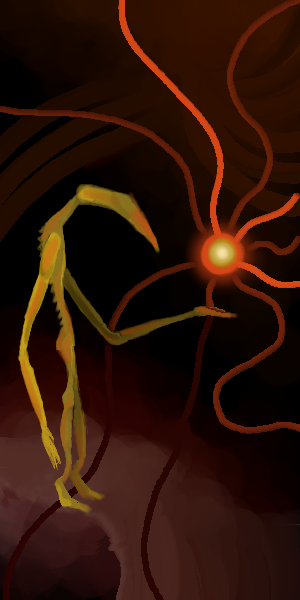
I can definitely see a fish in there......this is really awesome MissDj......your style is so unique! :)
Miss_DJ (Sep 26, 2010)
thank you!! I do have a lot of fun creating these. Mursku, I've done tutorials, but I think they're hard to follow. Maybe I'll try another one. There's so much 'messing' with these draws, that basically, it's about creating lots and lots of shapes, then using the difference tool along with blend and then move around to create whatever you want. See, that's kinda vague, huh?Glad you like this one!!
mursku (Sep 26, 2010)
no no, the difference tool and the blend tool make sense.. i don't think chibipaint has the difference tool, but i could try to do something like this in photoshop.
Miss_DJ (Sep 28, 2010)
yeah, chibi doesn't have that option, only Lascaux. I wrote you a Tutorial. |

| ||||||||||||||||||||||
|
cpomaybo
(Sep 24, 2010)
davincipoppalag (Sep 24, 2010)
very different and well done
firecracker (Sep 25, 2010)
cool draw! :0 |

| ||||||||||||||||||||||
|
artsy
(Sep 17, 2010)
I may delete this, I don't like it so much.
davincipoppalag (Sep 18, 2010)
Bingo! Zackly BMW
Kanuto (Sep 18, 2010)
It's looking nice. I like the stems you did on v2, though I like even more v3 for the shapes you added
firecracker (Sep 18, 2010)
it kinda reminds me of butterfly wings....nice! :)
kupocoffee (Sep 24, 2010)
I like the design and shape over all |

| ||||||||||||||||||||||
|
cpomaybo
(Sep 22, 2010)
davincipoppalag (Sep 23, 2010)
very creative!
cyclops (Sep 23, 2010)
sprightly.
firecracker (Sep 24, 2010)
Your artwork is awesome! I really enjoy your draws.....:) |

| ||||||||||||||||||||||
| |||||||||||||||||||||||
| 2draw.net © 2002-2026 2draw.net team/Cellosoft - copyright details - 5.27sec (sql: 38q/5.21sec) |

